Robotics is used in education to teach problem-solving, programming, design, collaboration and creativity in all stages of learning. Robots as educational tools are used to both motivate learning and as concrete, hands-on material for teaching content (Miller & Nourbakhsh, 2016). Miller & Nourbakhsh (2016) believe robots have three roles to play in an educational setting: a robot as a programming project, a robot as a learning focus and a robot as a learning collaborator.
Alimisis (2012) believes that robotic technologies are not just tools, but possible methods of new ways of thinking for both teaching and student learning. Technologies allow students to actively participate in the learning process. While students can solely focus on hands-on learning, the teacher needs to organise, coordinate and facilitate the learning for the students. Without the teacher encouragement, collaboration and evaluation of robotics-based learning, students may not receive the full benefits of robotics (Alimisis, 2012).
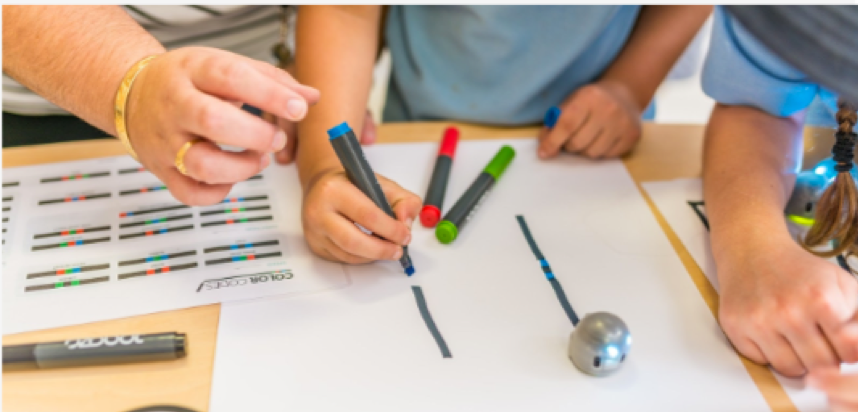
The Ozobot robot is a small, lightweight toy that uses its senses to recognise different coloured lines. A positive of the Ozobot is that it can be used for a variety of age groups and year levels. The colour lines offer a nice tool for the younger years, while another way to control the robot is by coding on the Ozobot website http://ozoblockly.com/. Having a coding platform, blockly, means both teachers and students can access for free, on their own devices without needing to download software. The Ozobot main positives are its user-friendliness, price, wide age group suitability and prepared instruction (Fojtik, 2017).
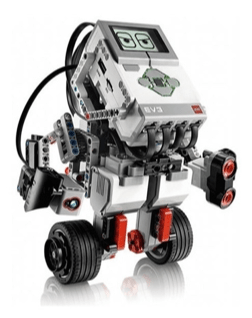
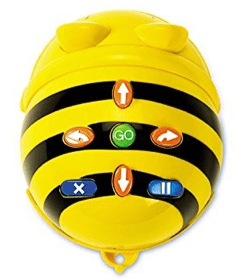
Despite these positives, the Ozobot is a simple robot with only one senor and minimal functional movements. The motor is relatively weak, the coloured lines need to be perfect and the loading time of programs is time-consuming. There a numerous other educational robotics tools that have fewer limitations which include the BeeBot, Micro: bit, Dash and Dot, Lego Spike, mBo, Lego WeDo, and Lego EV3.
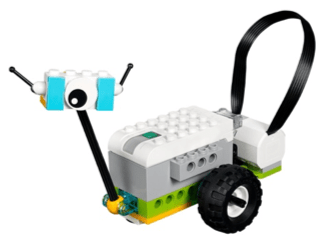
Lego WeDo robots are designed for younger age groups, however, they have the potential to target more difficult challenges, activities and year levels. WeDo uses a simple drag-and-drop block code. The blocks include cycle, wait command, motor motion, sensor inputs, sound replay, and value display. Compared to the Ozobot, the WeDo has motion and tilt sensors, constructible Lego components and an overall simpler interface (Kabatova & Pekarova, 2010). The Lego WeDo sets now come with a resource set to build more complex and interesting models (Mayerove & Veselovska, 2012).
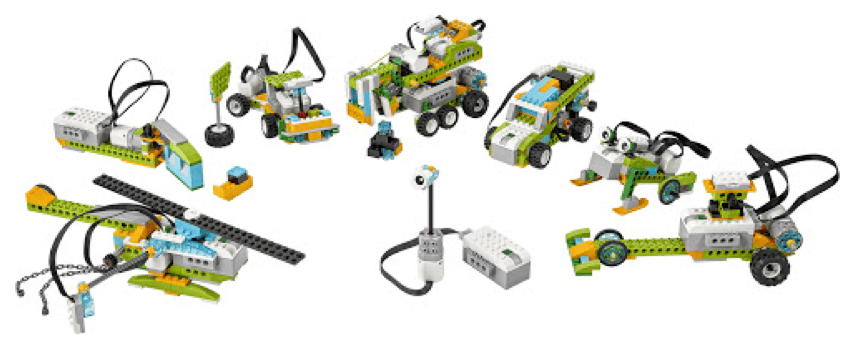
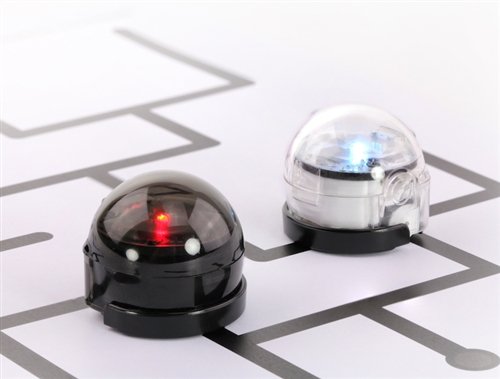
While both the Ozobot and Lego WeDo robots are great tools to use in education settings, the Ozobot is limited in the activities that can be completed, compared to the Lego WeDo. The Lego WeDo is great for all ages, allows students to learn through action and lets the student learn through both imagination and instruction.
References:
Alimisis, Dimitris (2012). Robotics in Education & Education in Robotics: Shifting Focus from Technology to Pedagogy. Robotics in Education Conference, 2012.
Fojtik, R. (2017). The Ozobot and education of programming. New Trends and Issues Proceedings on Humanities and Social Sciences, 4(5).
Kabátová, M., & Pekárová, J. (2010). Learning how to teach robotics. In Constructionism 2010 conference.
Mayerové, K., & Veselovská, M. (2017). How to teach with LEGO WeDo at primary school. In Robotics in education (pp. 55-62). Springer, Cham.
Miller, D. P., & Nourbakhsh, I. (2016). Robotics for education. In Springer handbook of robotics (pp. 2115-2134). Springer, Cham.
 EDUC3620 Digital Creativity and Learning
Hello Issac,
Thank you very much for your blog on Robotics! I found it very interesting to see Ozobots from another perspective as I did my Emerging Technology Module using Ozobots! I agree with you, I think they are really great for all ages because of their versatility of coding of colour code!
You raised an interesting point however, that they are indeed a very simply designed robot compared to others. Similarly, I did find that the lines for Ozobot needed to be perfect for it to work correctly.
Thank you again for you blog, it was very useful and has made me consider using Lego WeDo instead of Ozobots for future robotics tasks! I wonder if you could suggest any KLAs that Lego WeDo would be incorporated well into?
Natasha
LikeLike
WeDo is great for Science and Tech, Mathematics and also Creative Arts. The students get to be creative with their robot build and then the problem solving, collaboration and hands-on nature allow lessons to hit outcomes from S&T and Maths.
LikeLike